New from MorozkoThe Morozko app, free for every owner

Your ice bath, in your pocket.

Control the temperature, make floating ice and wake up to a cold bath, from anywhere.

No account needed. Check your bath works with it →

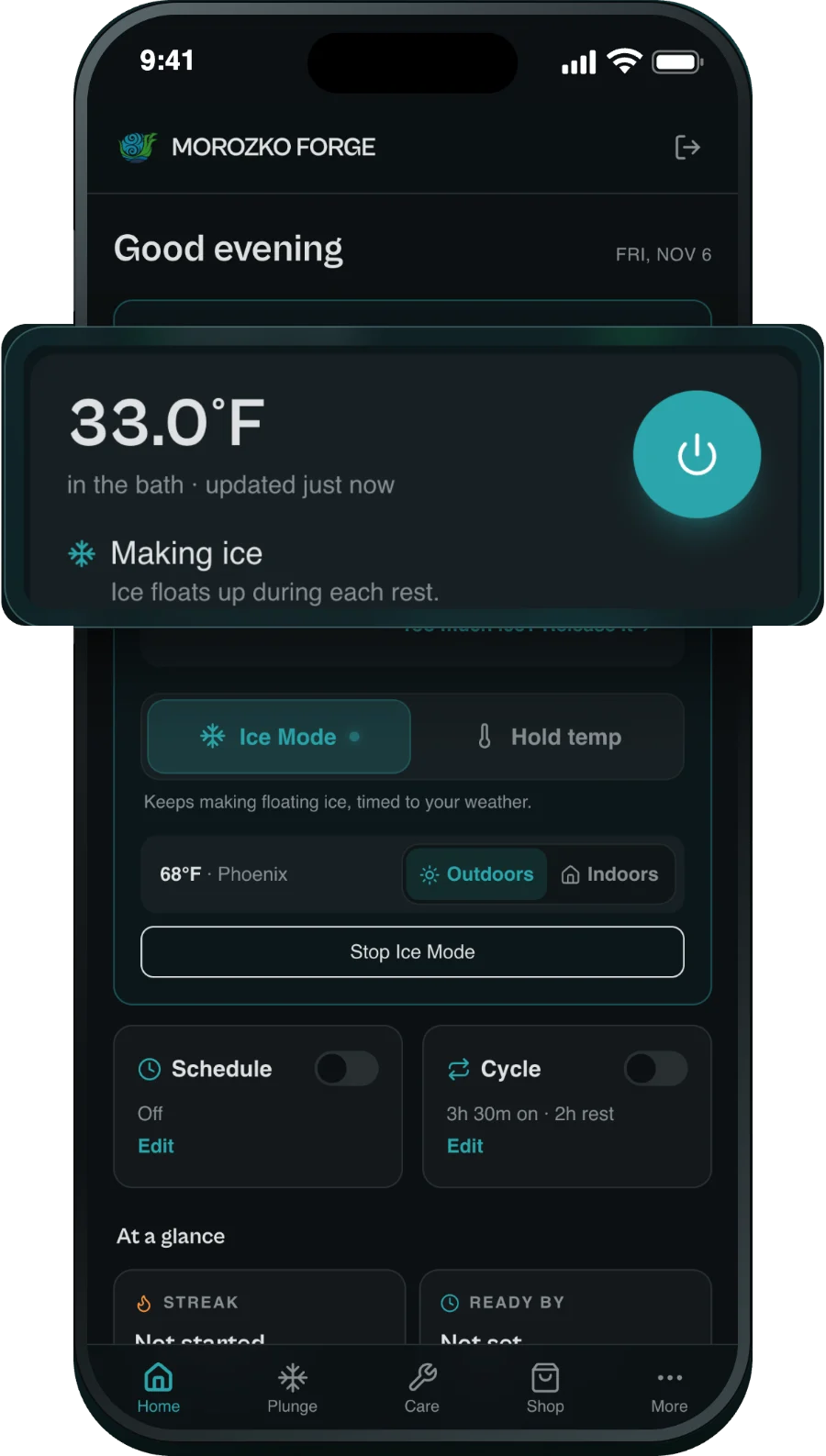
The Morozko app home screen in Ice Mode: 33.0°F in the bath, making ice
Take the tour
Free
For every Morozko owner
3 min
To connect your bath
32–70°F
Any temperature you choose
Runs itself
Ice-making keeps going, even with your phone off

Take the tour

Everything your bath can do, from one app.

Scroll through the app the way you will use it. Every screen here is the real app.

The Morozko app home screen in Ice Mode, 33.0°F, making ice

01 · Ice Mode

Floating ice, on autopilot.

Turn it on once and Ice Mode keeps making floating ice for you. Outdoors it follows the weather at your bath. Indoors it plans for a 70°F room, or the temperature you set.

  • Too much ice? Tap Release it and the ice melts free.
  • The app warns you before a freeze at your bath.
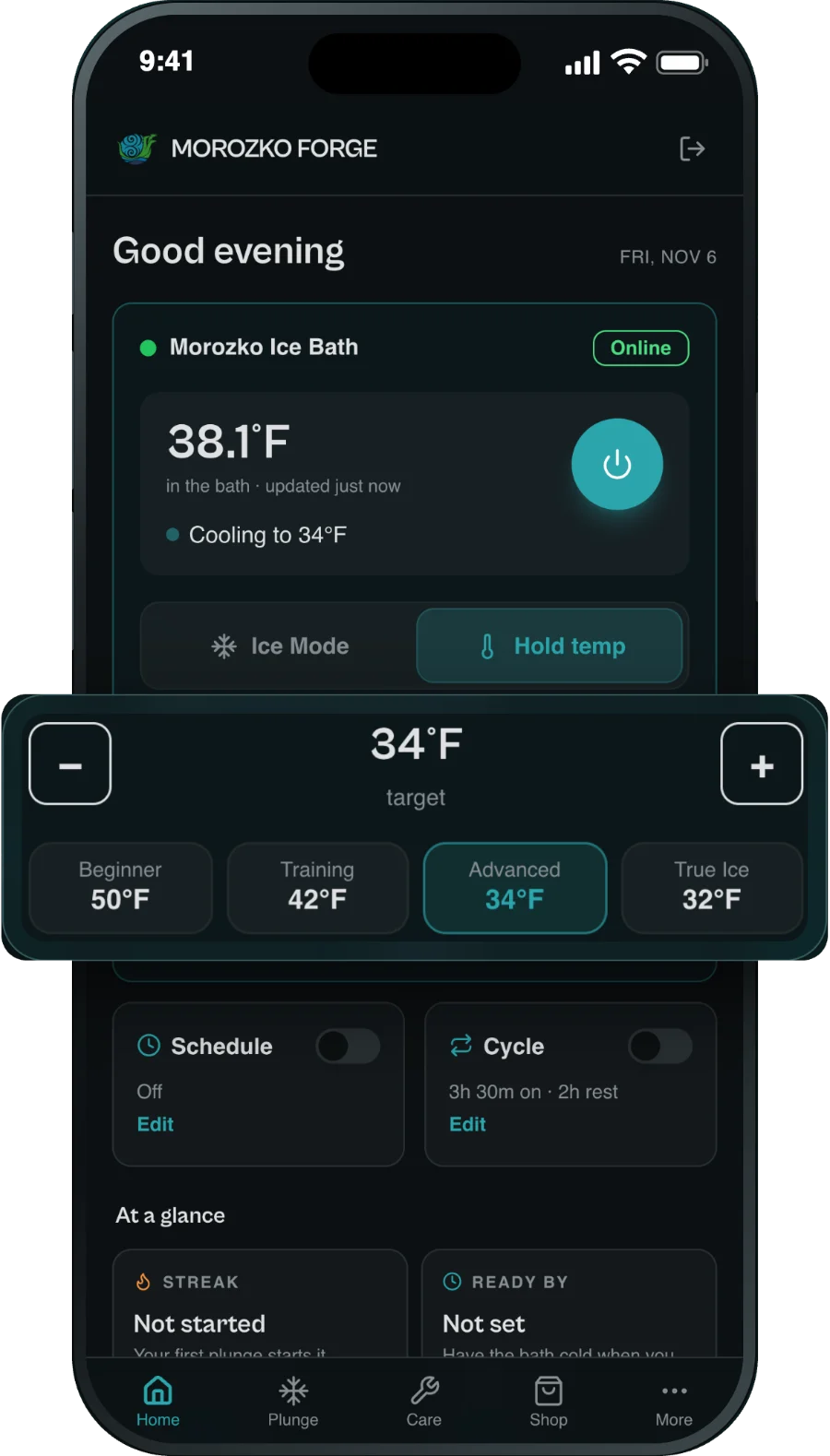
Hold temp in the Morozko app, set to 34°F, with Beginner, Training, Advanced and True Ice buttons

02 · Hold temp

Pick your perfect cold.

Keep the water at the temperature you choose, from 32°F to 70°F, with one tap.

  • 50°F Beginner
  • 42°F Training
  • 34°F Advanced
  • 32°F True Ice
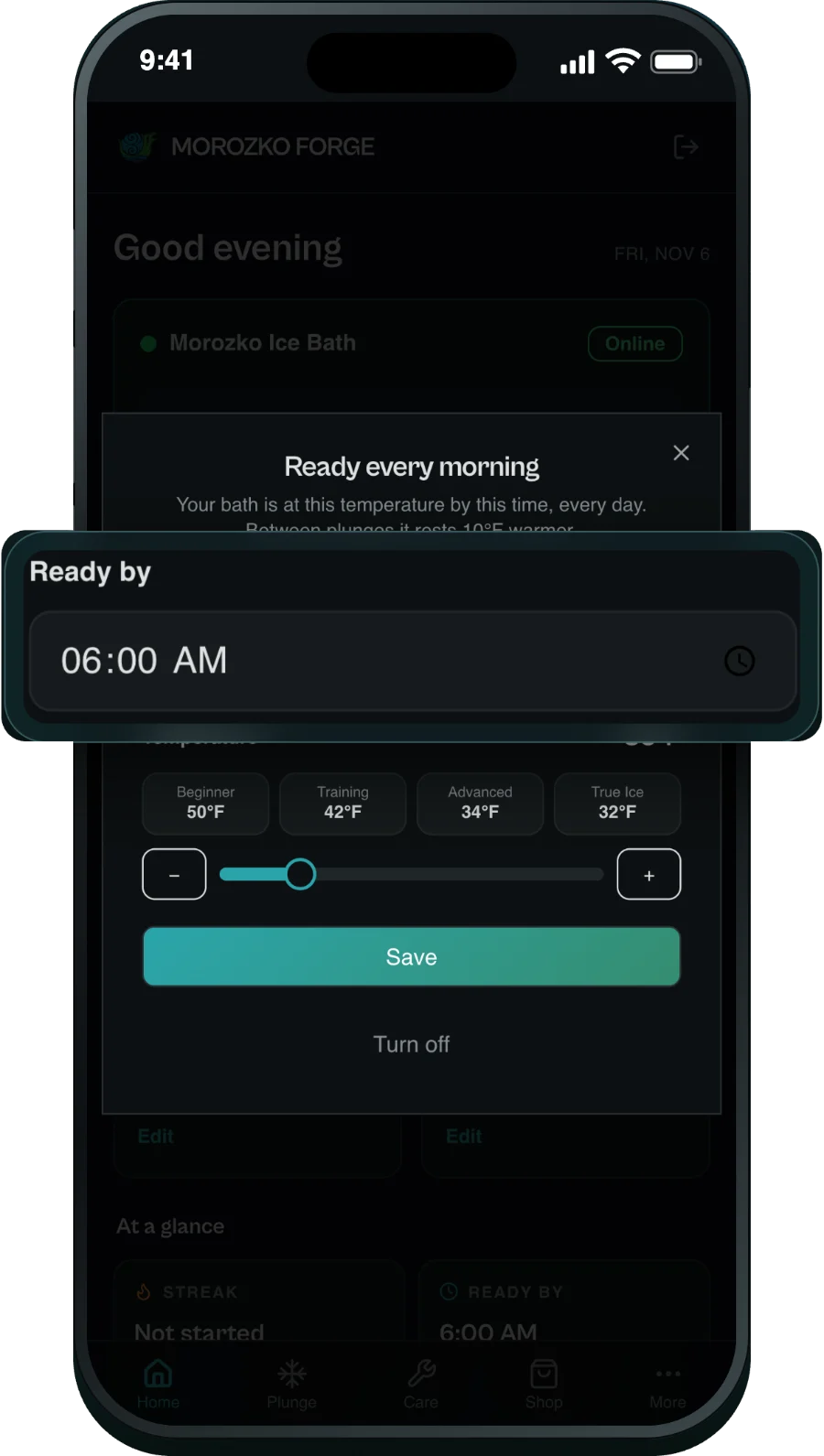
Ready every morning in the Morozko app, with a Ready by time of 6:00 AM

03 · Ready every morning

Cold when you wake up.

Choose a time and a temperature, and the bath is ready when you are, every day. Between plunges it rests a little warmer.

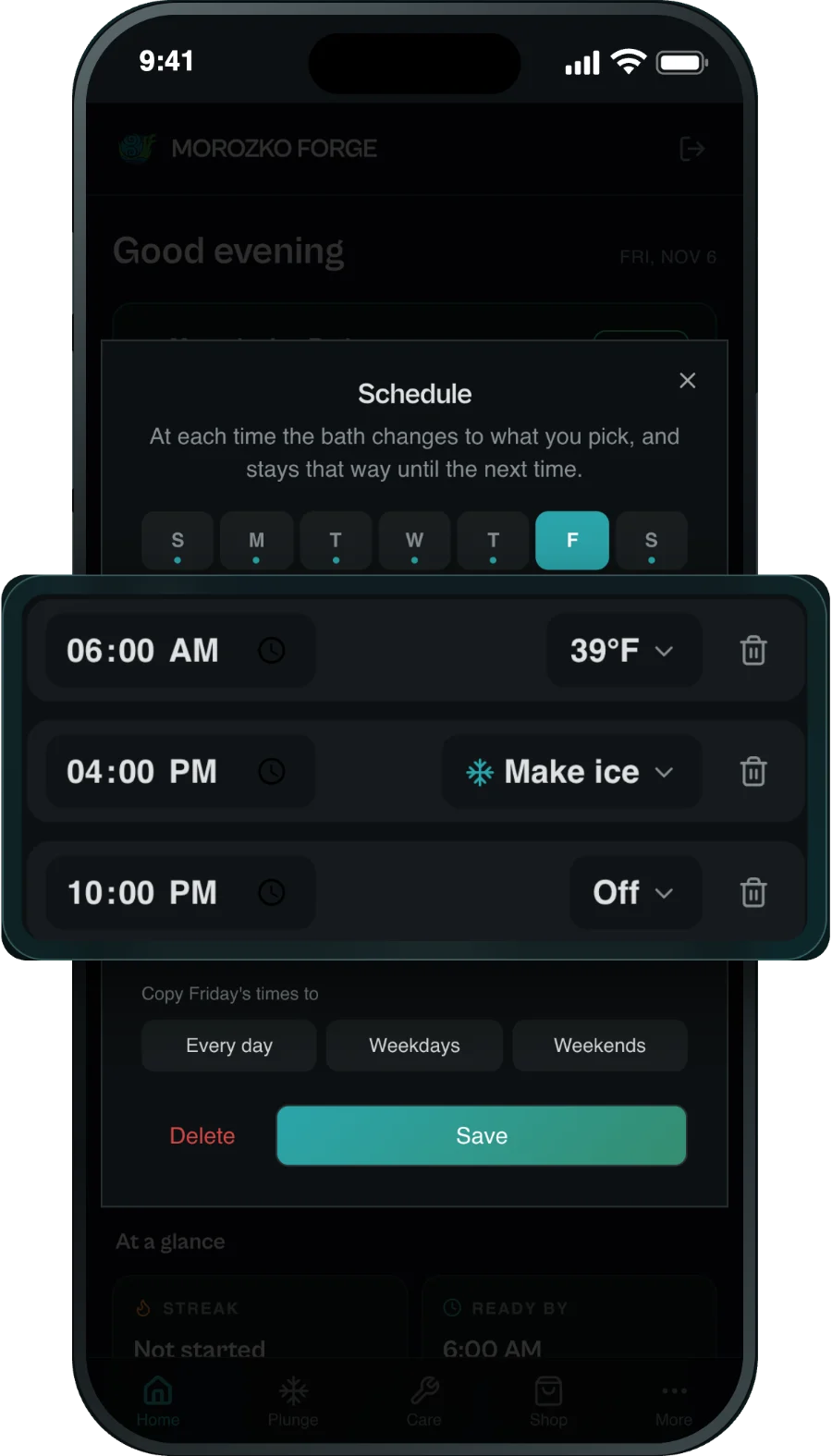
The schedule screen: 6:00 AM at 39°F, 4:00 PM make ice, 10:00 PM off

04 · Schedule

Plan the whole week.

Set times through the day to hold a temperature, make ice or turn off, and copy them across the week.

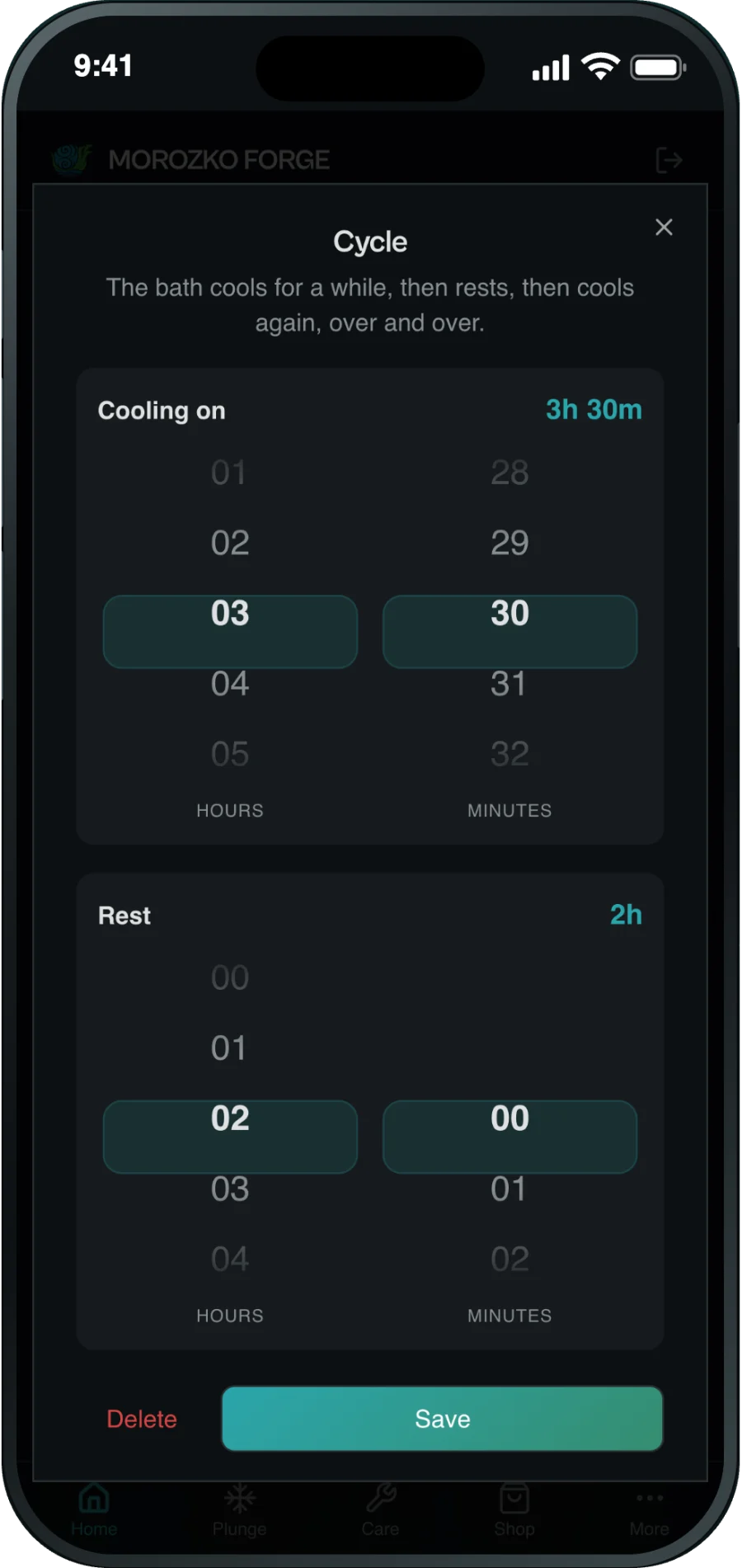
Your own cycle: choosing how long the bath cools and rests

05 · Your own cycle

Cool. Rest. Repeat.

Set how long the bath cools and how long it rests, and it repeats until you turn it off.

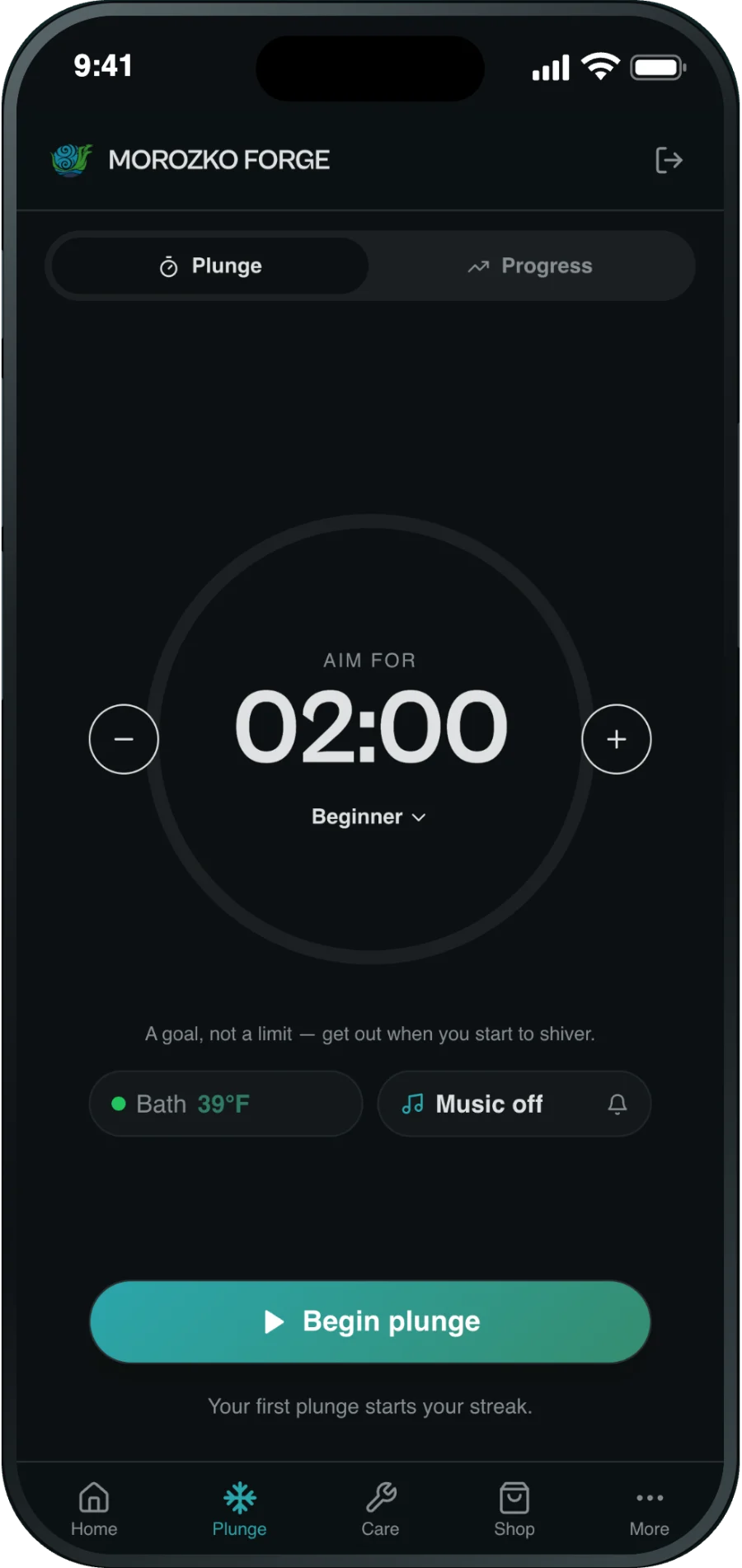
The plunge timer with a 2:00 goal and a Begin plunge button

06 · Plunge timer

A goal for every plunge.

Get a goal time for today’s plunge, based on your experience and how cold the water is. Your phone buzzes along the way, so you never watch the clock.

The Care tab, listing filter, pH and water jobs with their due dates

07 · Care

Care, right on time.

See what your bath needs and when, from the filter to the water to the wood, with reminders on your phone.

Looking down into a Morozko stainless steel tub packed with slabs of clear floating ice

How Ice Mode works

It cools, rests, and cools again.

Ice Mode runs your bath in cycles. Ice forms while it cools and floats up while it rests, timed to your bath and the weather where it stands. No settings to work out.

  1. CoolingIce forms
  2. RestingIce floats up
  3. CoolingIce forms
  4. RestingIce floats up
  5. CoolingIce forms
  6. RestingIce floats up
Water temperatureFreezing point

Not sure where to start?

Which mode is right for you?

Pick what you want from your bath. One mode runs at a time, and you can switch whenever you like.

Use

Ice Mode

Turn it on once and the bath keeps making floating ice, timed to your weather. It’s the coldest way to plunge.

Find every mode on the app’s Home screen.

Already using the Meross app?

Switch in a few minutes.

The Morozko app does everything you used the Meross app for, and adds things made for an ice bath. Once your bath is connected to the Morozko app, you can delete the Meross app.

Everything you had

  • Read the water temperature
  • Set a temperature
  • Control the bath from anywhere
  • Your own schedule

New, made for an ice bath

  • Ice Mode, timed to your weather
  • One-tap plunge temperatures
  • Ready every morning
  • The plunge timer
  • Care reminders

Also in the app

Small things that add up.

  • No phone needed to keep it going

    Once it is set, the controller runs ice-making by itself.

  • Control from anywhere

    Check the water and change it from wherever you are.

  • Every bath in one place

    A bath and a barrel at home, or one in every room of a studio.

  • Rests warmer

    Between plunges the bath can rest a little warmer.

  • No account needed

    Start right away. Add a free account later if you want it on a new phone.

  • Made by Morozko

    Designed by the same Phoenix team that builds your bath. Tap Need help? in the app to reach them.

Will it work with my bath?

Look at your controller.

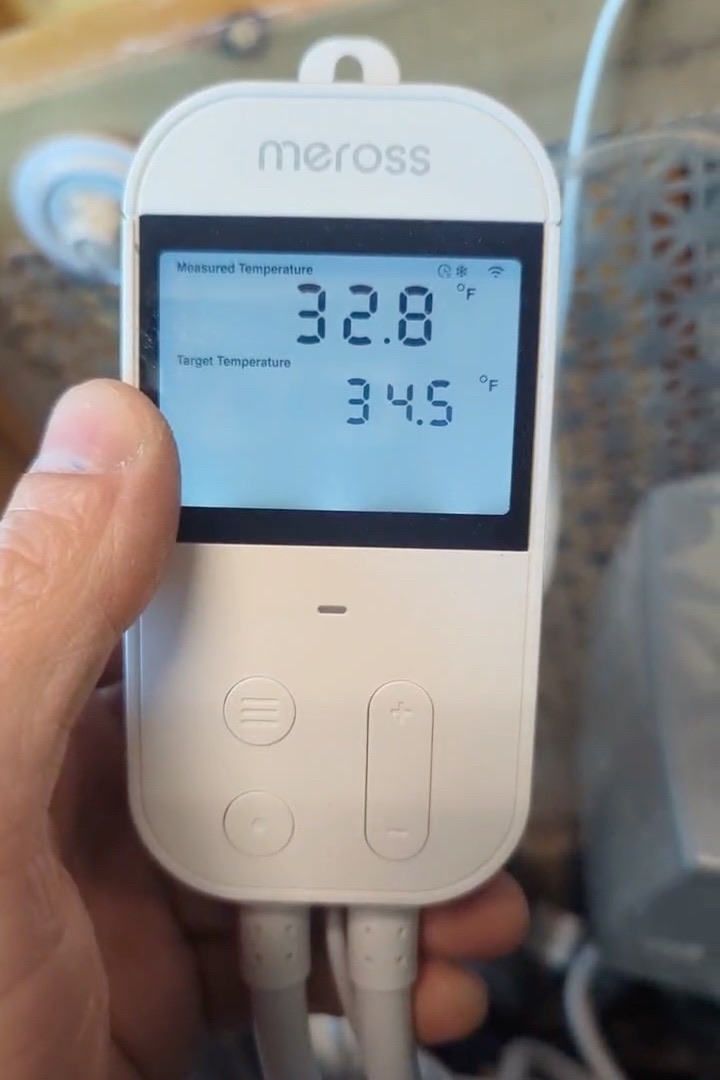
The app works with Morozko ice baths whose controller says “meross” at the top. Every Morozko made after February 2025 has one.

A white Meross temperature controller from a Morozko, with meross printed at the top, reading 32.8°F
The controller on a Morozko. Look for “meross” at the top.

Setup

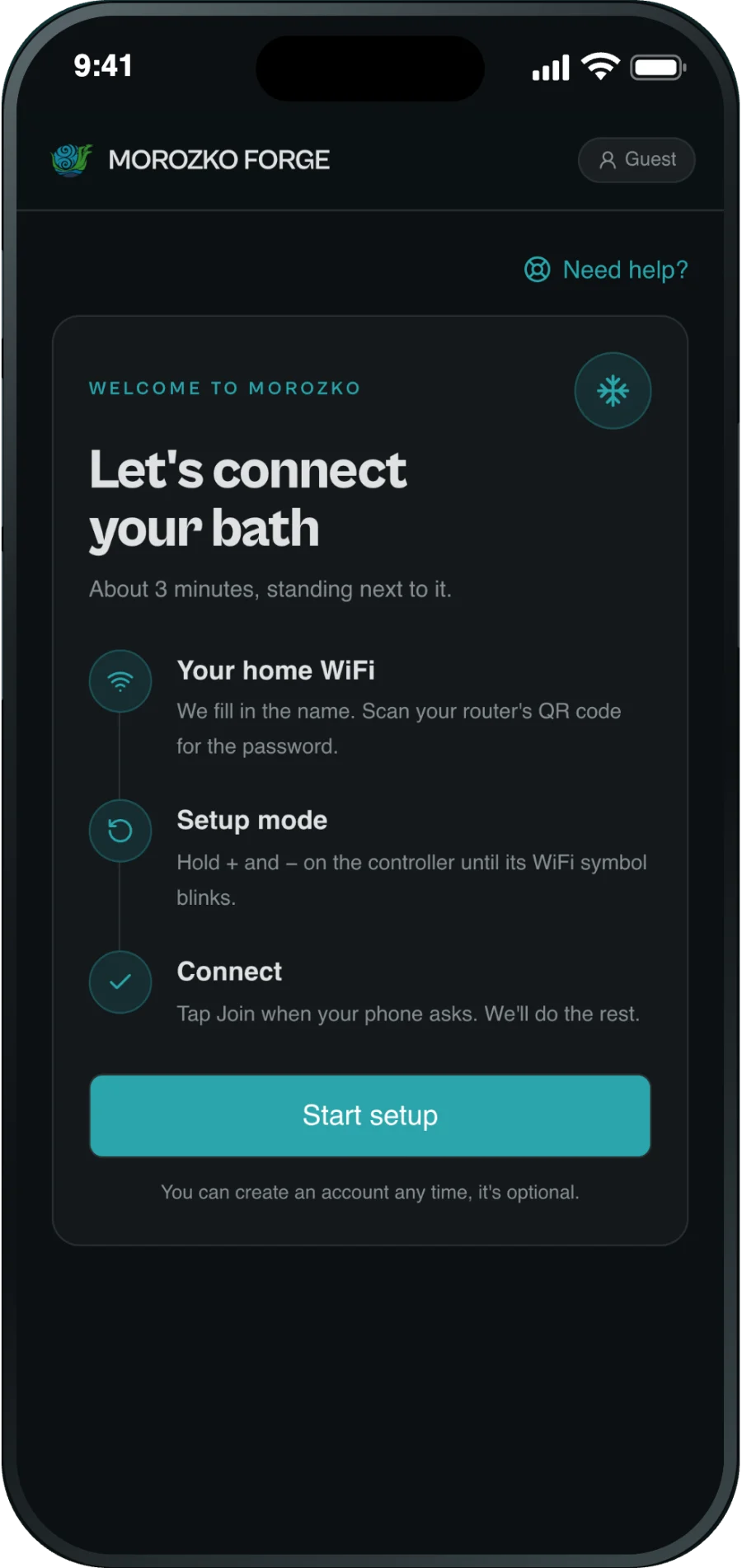
Set up in about 3 minutes.

What you need

  • Your home WiFi and its password
  • Your phone, next to your bath
  1. Get the appFree on Google Play, and on iPhone through TestFlight.
  2. Tap Start setupStand next to your bath and follow the steps on screen.
  3. Make iceThe app finds your bath and connects it. Turn on Ice Mode, or pick a temperature.
The setup screen in the Morozko app: Let’s connect your bath, with Start setup

Questions

App FAQ

Which ice baths work with the app?

Morozko ice baths whose controller says “meross” at the top. Every Morozko made after February 2025 has one. Not sure? Call Morozko at (602) 456-6338.

Is it free?

Yes. The app is free for every Morozko owner, with no account needed.

Where do I get it?

Android: Google Play. iPhone: through Apple’s TestFlight, while the App Store release finishes.

What WiFi does my bath need?

Your home WiFi, on 2.4 GHz, reaching the spot where the bath stands. Most home routers have 2.4 GHz.

I use the Meross app. Do I still need it?

No. The Morozko app does everything the Meross app did, and adds Ice Mode, one-tap plunge temperatures, Ready every morning, the plunge timer and care reminders.

What’s the difference between Ice Mode and Hold temp?

Ice Mode makes floating ice for the coldest plunge. Hold temp keeps the water at one temperature you choose.

Do I need my phone on for it to make ice?

No. Once it is set, the controller runs ice-making by itself, even with your phone off.

Can I use more than one bath?

Yes. With a free account you can add as many baths as you like.

A woman lying back in a Morozko ice bath among chunks of floating ice

Make your first ice tonight.

Already own a Morozko? Get the free app and connect your bath in about 3 minutes.

Questions about the app or a Morozko? Call (602) 456-6338, or tap Need help? in the app. Shop ice baths →

Get the free app